Quiz Entry - updated: 2026.07.30
How do anchors ^ and $ work in regular expressions?
Anchors match a position, not a character: ^ is the start of a line, $` is the end, so `^cat$ matches a line containing only "cat".
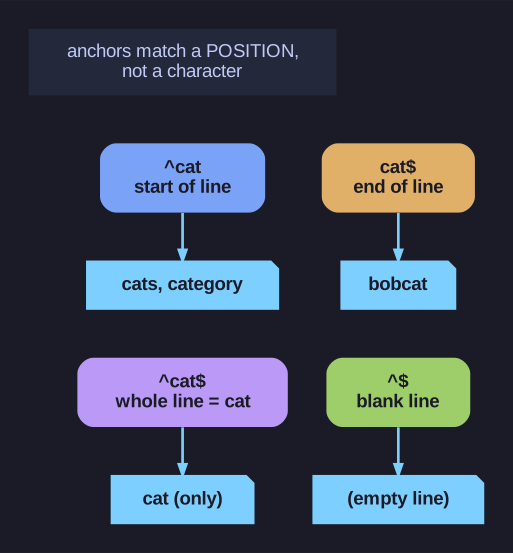
* Anchors assert a position: start, end, whole-line, and empty-line. *
This is the subtle bit: anchors consume no characters, they assert where in the line you are. ^cat requires "cat" at the very beginning; cat$` requires it at the very end; combining them (`^cat$) demands the line be exactly "cat" and nothing more. The empty pattern ^$ matches blank lines — invaluable for stripping them.
| Anchor | Matches |
|---|---|
^ |
Beginning of line |
$ |
End of line |
^$ |
Empty line |
Examples:
# Lines STARTING with "cat"
grep "^cat" file.txt
# Matches: "cat", "cats", "category"
# Not: "bobcat", "a cat"

# Lines ENDING with "cat"
grep "cat$" file.txt
# Matches: "cat", "bobcat"
# Not: "cats", "category"

# Lines containing ONLY "cat"
grep "^cat$" file.txt
# Matches only: "cat"

# Empty lines
grep "^$" file.txt
Practical use - filter comments:
# Remove lines starting with # or ;
grep -v "^[#;]" config.file

# Remove empty lines too
grep -v "^$" file.txt | grep -v "^#"
Go deeper:
 Anchors: ^ and $ (regular-expressions.info) — anchors assert a position rather than consuming a character; the
 ^...$whole-line idiom.