How do you chain commands in bash using ;, &&, and ||?
; runs commands one after another no matter what; && runs the next one only if the previous succeeded; || runs the next one only if the previous failed.
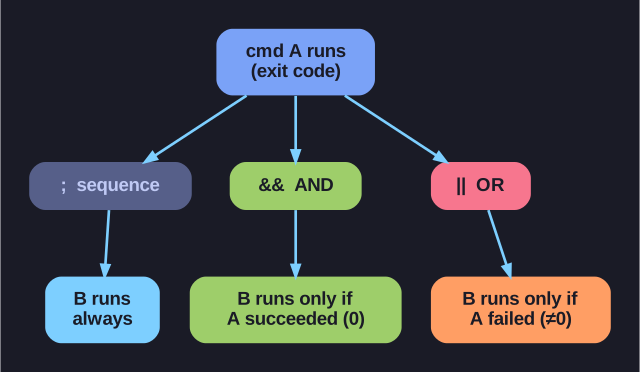
* The three chaining operators read command A's exit code: ; ignores it, && needs success, || needs failure. *
The two conditional operators work because every command returns an exit code: 0 means success, anything non-zero means failure. && and || read that code to decide whether to continue — that's the whole mechanism, and it's what lets you build logic right on the command line.
| Operator | Meaning | Runs the next command… |
|---|---|---|
; |
Sequence | always |
&& |
AND | only if the previous succeeded |
|| |
OR | only if the previous failed |
mkdir test ; cd test          # cd even if mkdir failed (maybe unwanted!)
mkdir test && cd test         # only cd if the directory was actually created
grep "x" file || echo "none"  # print "none" only when grep finds nothing
gcc prog.c -o prog && ./prog  # run the program only if it compiled
The && version of "make-then-enter" is the safe one: if mkdir fails (no permission, name taken), you do not want to cd and start working in the wrong place — which is exactly what the ; version would do.
You can combine them into a tiny if/else:
mkdir new && cd new || echo "couldn't create/enter new"
Read it as: try to make new; if that worked cd into it; if anything failed print the error.
Gotcha: || triggers on any non-zero exit, not just the error you have in mind — chain carefully, because an unrelated failure earlier in the line can fire your || branch unexpectedly.