How do you configure a Cisco router as a DHCPv4 (Dynamic Host Configuration Protocol v4) client?
Use the ip address dhcp command on the interface that should receive an IP (Internet Protocol) address from a DHCP server.
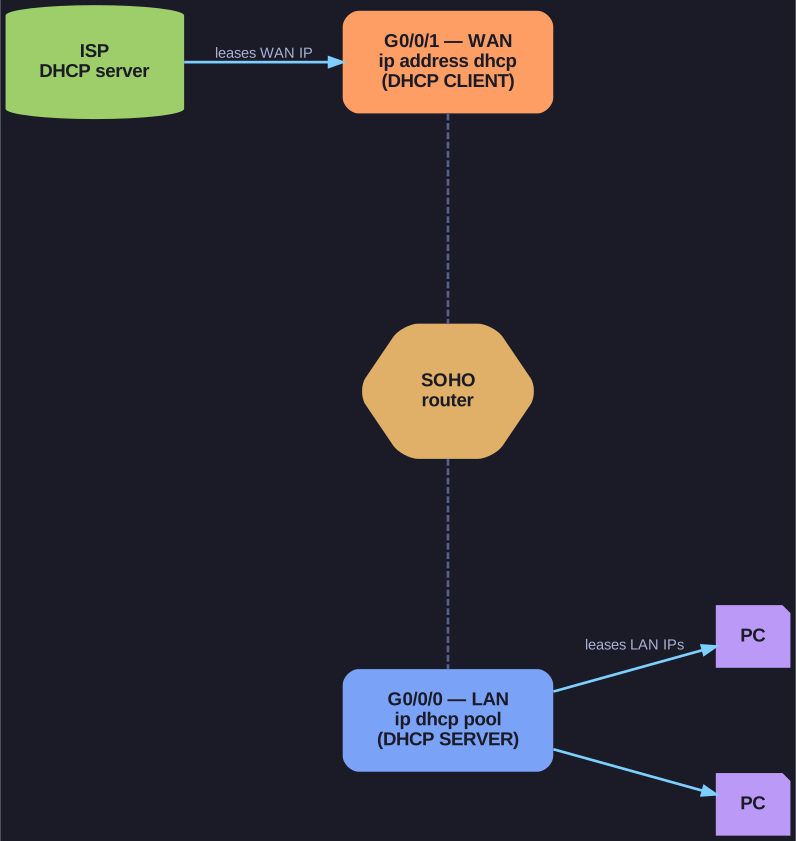
* A single router can be a DHCP client on its WAN (getting an IP from the ISP) and a DHCP server on its LAN at the same time. *
Configuration:
SOHO(config)# interface G0/0/1
SOHO(config-if)# ip address dhcp
SOHO(config-if)# no shutdown
Common use case: SOHO (Small Office/Home Office) or branch routers connecting to an ISP via cable or DSL modem. The ISP's DHCP server assigns the router's WAN interface IP address.
Verification:
SOHO# show ip interface g0/0/1
Look for:
Internet address is 209.165.201.12/27Address determined by DHCP
How it works:
- The router's interface acts just like any other DHCP client
- It sends DHCPDISCOVER, receives an offer, and gets an IP from the upstream DHCP server
- The router can simultaneously be a DHCP client on its WAN interface and a DHCP server on its LAN (Local Area Network) interfaces
Tip: Home routers do this by default — their WAN port is configured as a DHCP client to get an IP from the ISP, while the LAN ports run a DHCP server for home devices.
Go deeper:
 DHCP — operation (Wikipedia) — the DORA the router interface itself runs when
 ip address dhcpis set.