Quiz Entry - updated: 2026.07.30
How do you delete text in VIM's Normal mode?
x deletes a character, dd a whole line, dw a word — and a number prefix repeats it (3dd = 3 lines).
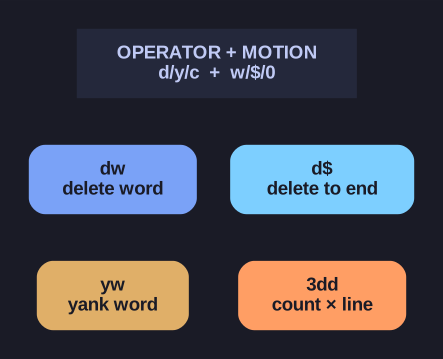
* Operator + motion compose — learn the grammar once and it generalizes (dw, d$, 3dd). *
Notice the pattern: d is the "delete" operator and it combines with a motion (dw=delete word, d$=delete to end of line). Learn the operator-plus-motion idea once and it generalizes across vim. Deleted text isn't gone — it's stashed in a register, so dd then p is really "cut and paste."
Deletion commands:
| Command | Deletes |
|---|---|
x |
Character under cursor |
dd |
Entire line |
dw |
Word (from cursor) |
d$ or D |
To end of line |
d0 |
To start of line |
Combining with numbers:
3dd     " Delete 3 lines
5x      " Delete 5 characters
2dw     " Delete 2 words
Important: Deleted text is stored in a register (like clipboard) and can be pasted with p.
Undo and Redo:
| Command | Action |
|---|---|
u |
Undo |
Ctrl+r |
Redo |
Tip: dd + p = cut and paste a line!
Go deeper:
 Vim help: change.txt (vimhelp.org) —
 x,dd,dw, the operator+motion model, and registers.