How do you grow a Logical Volume, and why are there two separate steps?
First enlarge the LV with lvextend (gives it more extents), then grow the filesystem on top with xfs_growfs or resize2fs — the container and its contents are resized separately.
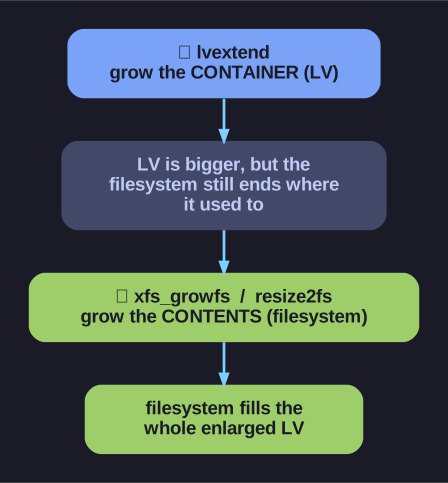
* Growing storage is two jobs — lvextend enlarges the container; xfs_growfs or resize2fs then grows the filesystem into the new space. *
This is the part people forget: making the LV bigger does not make the filesystem bigger. The LV is the container; the filesystem is what's inside it. Enlarge the container and the filesystem still thinks it ends where it used to — you have to tell it to expand into the new space. So it's (optionally) three steps:
1. Enlarge the VG first, only if it's out of free extents:
pvcreate /dev/vdb3          # prepare a new disk as a PV
vgextend vg01 /dev/vdb3     # add it to the pool, freeing up extents
2. Grow the LV (the container):
lvextend -L +500M /dev/vg01/lv01        # add 500 MiB
lvextend -L 1G /dev/vg01/lv01           # set to exactly 1 GiB
lvextend -l +100%FREE /dev/vg01/lv01    # absorb all remaining free space
3. Grow the filesystem (the contents) to fill the bigger LV:
xfs_growfs /mnt/data          # XFS: takes the MOUNT POINT, online only
resize2fs /dev/vg01/lv01      # ext4: takes the DEVICE PATH, online or offline
The two filesystems differ in how you address them and what they allow:
xfs_growfsis given the mount point and can only grow a mounted filesystem.resize2fsis given the device path and works mounted or unmounted — and unlike XFS, ext4 can also shrink.
Remember: XFS can only ever be extended, never shrunk. If you might need to reclaim space later, choose ext4. Some tools (e.g. lvextend -r) can do both LV and filesystem in one go, but knowing the two-step model is what saves you when it doesn't.