How do you read an RPM filename like Coreutils-8.32-31.el9.x86_64.rpm?
The format is Name-Version-Release.Architecture.rpm — software name, upstream version, packager's revision (with distro tag), and the CPU architecture it's built for.
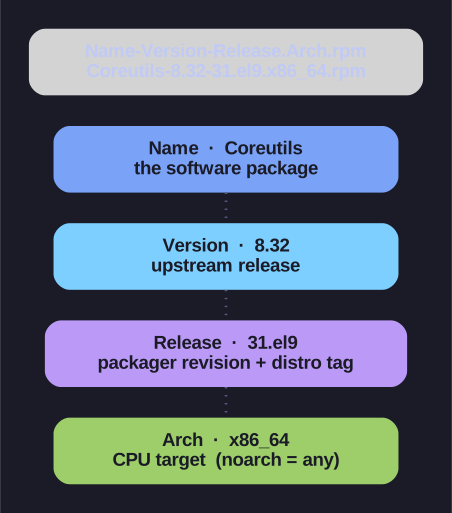
* Anatomy of an RPM filename — Name-Version-Release.Arch.rpm. *
Every field tells you something operationally useful:
Coreutils - 8.32 - 31.el9 . x86_64 .rpm
   │          │       │        └── Architecture
   │          │       └────────── Release (packager revision + distro tag)
   │          └────────────────── Version (upstream)
   └───────────────────────────── Name
| Part | Example | Meaning |
|---|---|---|
| Name | Coreutils |
The software package |
| Version | 8.32 |
The version the upstream project released |
| Release | 31.el9 |
How many times the packager rebuilt this version; el9 = "Enterprise Linux 9" |
| Architecture | x86_64 |
CPU type the binary targets |
Common architecture tags: x86_64 (64-bit Intel/AMD), aarch64 (64-bit ARM), i686 (legacy 32-bit Intel), and noarch — architecture-independent content like scripts or documentation that runs anywhere.
Why Version and Release are separate: the version only changes when upstream ships new code. The release bumps when Red Hat re-packages the same upstream version — e.g. to apply a security patch or fix the build — so 8.32-31 and 8.32-32 are the same upstream code with a distro-side change.
Go deeper:
 RPM Package Manager — Wikipedia — the
 Name-Version-Release.Architecture.rpmconvention.