How does a client verify a certificate's authenticity, all the way back to a trust anchor?
By walking the certificate chain from the end-entity cert up through intermediate CAs to a Root CA (trust anchor), validating each CA's signature on the next certificate using the CA's public key from its own certificate.
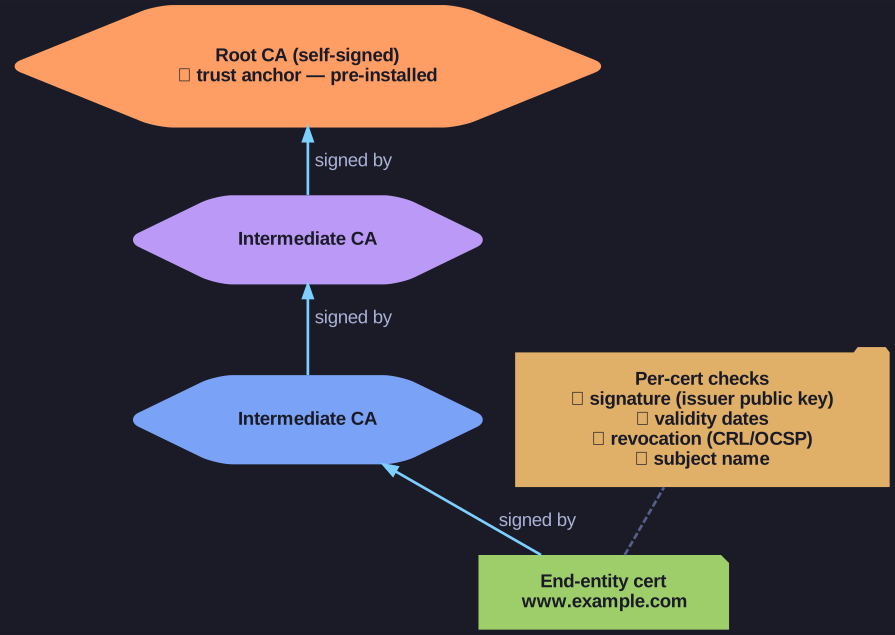
* Walk the chain up to the self-signed Root CA (trust anchor), checking signature, validity, revocation and name at each hop. *
The chain:
End-entity cert (e.g. www.example.com)
  ↑ signed by
Intermediate CA cert
  ↑ signed by
Intermediate CA cert (maybe more)
  ↑ signed by
Root CA cert ← trust anchor, pre-installed in OS/browser
Verification algorithm per cert in the chain:
- Look up the issuer's public key (from the parent certificate in the chain).
- Use it to verify the CA signature on the current certificate.
- Check validity dates (Not Before ≤ now ≤ Not After).
- Check revocation status (CRL or OCSP).
- Check usage extensions match the intended use (
serverAuthfor TLS server,clientAuthfor mTLS, …). - Check subject name matches the expected one (e.g. for TLS, the DNS name).
If any check fails on any cert → reject.
Why Root CA verification is the trust anchor:
- Root certs are self-signed — no parent to verify against.
- They are trusted because the OS or browser vendor pre-installed them after extensive auditing.
- Installing an additional Root CA (e.g. for a corporate proxy) gives that CA the power to MITM all of your traffic — handle with extreme care.
- Some governments / employers force users to install custom roots → that's how state-level TLS interception works (e.g. Kazakhstan's "national security certificate" rejected by browsers in 2019).
Tip: openssl s_client -showcerts -connect example.com:443 shows you the full chain a server presents. If a browser shows a cert error, walking the chain by hand often identifies which link failed (expired intermediate, untrusted root, etc.).
Go deeper:
 Chain of trust (Wikipedia) — end-entity → intermediate → root-CA trust anchor.
- RFC 5280 §6 — Certification Path Validation — the canonical path-validation algorithm (signature/validity/name checks).