How does a VLAN hopping attack via switch spoofing work, and how do you prevent it?
The attacker configures their NIC (Network Interface Card) to act as a switch and sends DTP (Dynamic Trunking Protocol) frames to negotiate a trunk link. If the port is in dynamic auto or dynamic desirable mode, a trunk forms and the attacker gains access to all VLANs (Virtual Local Area Networks).
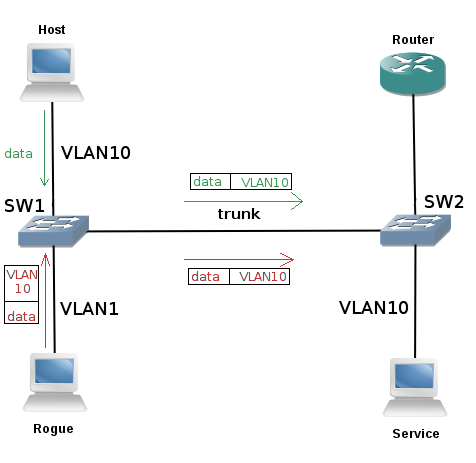
* VLAN hopping across a trunk via the native VLAN. — Braonle, CC BY-SA 4.0, via Wikimedia Commons. *
The attack:
- Attacker's device sends DTP frames to the switch port
- If the port is set to
dynamic autoordynamic desirable(default on many switches), it negotiates a trunk - Once the trunk is established, the attacker can send and receive 802.1Q-tagged frames for any VLAN
- The attacker now has access to every VLAN on the switch — effectively bypassing all VLAN segmentation
Why it works: By default, many Cisco switch ports are set to dynamic auto — they'll become a trunk if the other side requests it. The attacker simply requests trunking.
Prevention:
! On ALL access ports:
Switch(config-if)# switchport mode access        ! Force access mode — never trunk
Switch(config-if)# switchport nonegotiate         ! Disable DTP entirely

! On trunk ports:
Switch(config-if)# switchport mode trunk           ! Manually set to trunk
Switch(config-if)# switchport nonegotiate          ! Disable DTP negotiation

! Disable unused ports:
Switch(config-if)# shutdown
Switch(config-if)# switchport access vlan 999      ! Assign to unused "black hole" VLAN
Tip: The single most important step: never leave ports in dynamic mode. Every port should be explicitly set to either access or trunk.
Go deeper:
 VLAN hopping (Wikipedia) — covers switch-spoofing via DTP trunk negotiation and the disable-DTP / access-only-port countermeasure.