Quiz Entry - updated: 2026.07.30
How does a VoIP (Voice over IP) phone handle VLAN (Virtual Local Area Network) tagging, and how can you verify a port's voice VLAN configuration?
The IP (Internet Protocol) phone acts as a 3-port switch — it tags its own voice traffic with the voice VLAN and CoS (Class of Service) priority, while PC data traffic goes on the access VLAN. Use show interfaces switchport to verify.
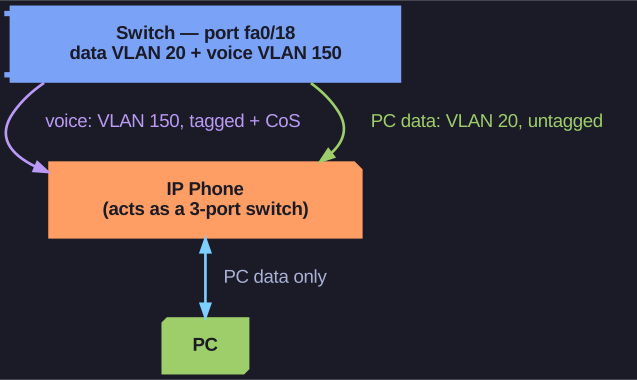
* An IP phone as a 3-port switch: voice is tagged on the voice VLAN, PC data stays untagged on the access VLAN. *
How the phone works:
- The switch tells the phone (via CDP (Cisco Discovery Protocol)) which voice VLAN to use
- The phone tags voice frames with the voice VLAN ID and a CoS priority value for QoS (Quality of Service)
- The phone may or may not tag the PC's data frames — depending on configuration
Tagging behavior on the port:
| Traffic Type | Tagging |
|---|---|
| Voice VLAN | Tagged with CoS priority value |
| Access VLAN (with CoS) | Can optionally be tagged with a CoS value |
| Access VLAN (default) | Not tagged |
Verification with show interfaces fa0/18 switchport:
Key fields to look for:
Access Mode VLAN: 20 (student)— the data VLANVoice VLAN: 150 (voice)— the voice VLANAdministrative Mode: static access— port is in access modeTrunking Native Mode VLAN: 1 (default)— native VLAN for trunk fallback
Go deeper:
 IEEE 802.1p — Class of Service (Wikipedia) — the CoS priority the phone stamps on its tagged voice frames.
 Power over Ethernet (Wikipedia) — the same cable that carries the tagged voice VLAN also powers the phone.