In a dual-stack topology, why can R1 ping R2 but not R3's LAN (Local Area Network) before static routes are configured?
Each router only knows about its directly connected networks. R1 has no route to R3's LAN (192.168.1.0/24 or 2001:db8:cafe:1::/64) because it's not directly connected — a static route is needed to tell R1 how to reach it.
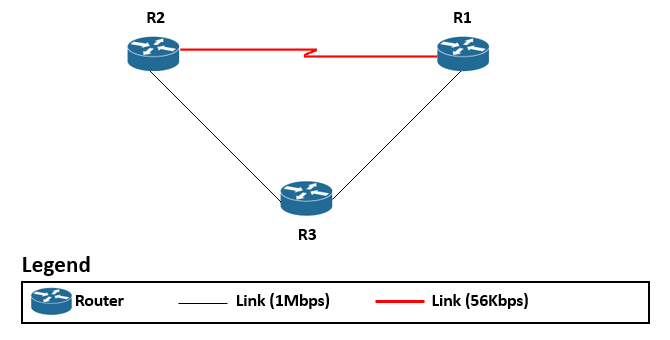
* A three-router topology with connected networks. — Michel Bakni, CC BY-SA 4.0, via Wikimedia Commons. *
The initial state (no static routes):
R1# show ipv6 route | begin C
C   2001:DB8:ACAD:1::/64 [0/0]     ← R1's LAN
C   2001:DB8:ACAD:2::/64 [0/0]     ← Link to R2

R1# ping 2001:DB8:ACAD:2::2        ← R2 interface — SUCCESS (directly connected)
R1# ping 2001:DB8:CAFE:1::1        ← R3 LAN — FAIL (no route!)
Why it fails:
- R1 knows about 2001:DB8:ACAD:1::/64 and 2001:DB8:ACAD:2::/64 (connected interfaces)
- R1 has no idea that 2001:DB8:CAFE:1::/64 exists or how to reach it
- The packet is dropped and ICMP (Internet Control Message Protocol) "No route to destination" is returned
The fix — add static routes on ALL routers:
! On R1 — routes to R3's networks via R2
R1(config)# ip route 192.168.1.0 255.255.255.0 172.16.2.2
R1(config)# ipv6 route 2001:db8:cafe:1::/64 2001:db8:acad:2::2

! On R3 — routes BACK to R1's networks (return path!)
R3(config)# ip route 172.16.3.0 255.255.255.0 192.168.1.2
The critical lesson: You must configure routes in both directions. A route from R1 to R3's LAN is useless if R3 doesn't have a route back to R1's LAN — the request reaches R3 but the reply has no return path.
Go deeper:
 Routing table (Wikipedia) — a router only knows its table's routes; non-connected networks need an entry.