Walk through the three steps that occur during an FHRP router failover when the active router goes down.
Step 1: Standby stops receiving Hellos. Step 2: Standby assumes the forwarding role. Step 3: Standby takes over the virtual IP (Internet Protocol) and MAC (Media Access Control), so hosts see no disruption.
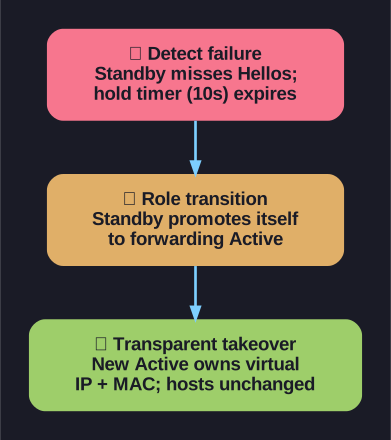
* The three-step FHRP (First Hop Redundancy Protocol) failover. *
Detailed failover sequence:
Step 1 — Failure detection:
- The active and standby routers exchange Hello messages at regular intervals (every 3 seconds for HSRP (Hot Standby Router Protocol))
- If the standby router stops receiving Hello messages from the active router, it starts a hold timer (default 10 seconds for HSRP)
- If no Hello arrives before the hold timer expires → the active router is declared dead
Step 2 — Role transition:
- The standby router assumes the role of the forwarding router
- It begins processing all traffic destined for the virtual IP/MAC
- If other routers are in the Listen state, a new standby is elected from among them
Step 3 — Transparent to hosts:
- The new active router takes over both the virtual IPv4 and virtual MAC addresses
- Host devices continue sending frames to the same virtual MAC → no ARP (Address Resolution Protocol) updates needed
- From the hosts' perspective: nothing changed — their default gateway still works
Failover time: With default HSRP timers, failover takes approximately 10 seconds (hold timer). This can be reduced to sub-second by tuning timers, but aggressive timers increase CPU load and risk false failovers.
Tip: Unlike STP (Spanning Tree Protocol) convergence (which can take 30-50 seconds), FHRP failover only affects the gateway — Layer 2 paths remain stable.
Go deeper:
 Hot Standby Router Protocol (Wikipedia) — the next-highest-priority router taking over the virtual MAC so hosts see no change.