What are DNF package groups, and what do "mandatory / default / optional" mean?
A group bundles related packages so you install a whole capability ("Development Tools") in one command; within a group, packages are mandatory (always), default (unless excluded), or optional (only on request).
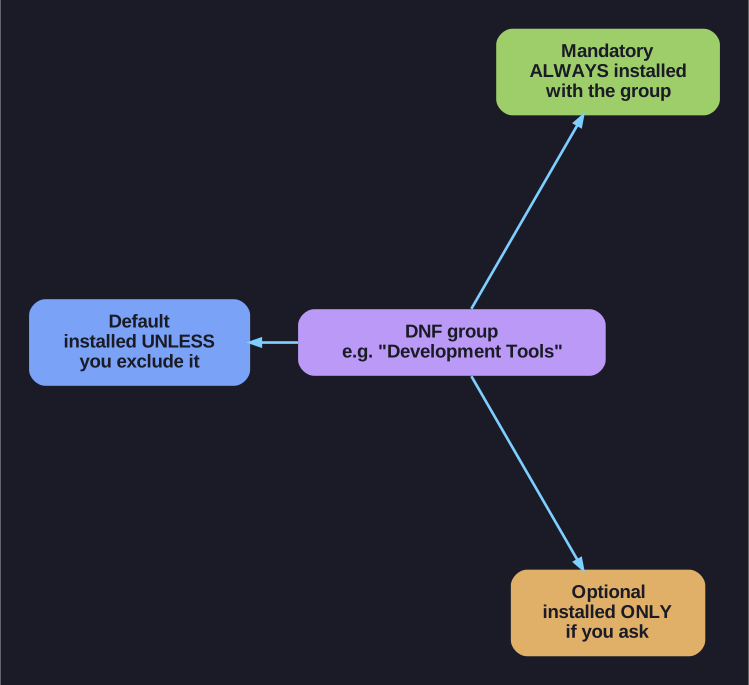
* The three package tiers inside a DNF group. *
Setting up a role — a development box, a GUI server — means installing many related packages. Groups name that whole set so you don't have to list each package:
- Regular group — a collection of packages (e.g. "Development Tools").
- Environment group — a collection of groups (e.g. "Server with GUI"), one level up.
| Command | Purpose |
|---|---|
dnf group list |
List available groups |
dnf group info "GROUP" |
Show the packages a group contains |
dnf group install "GROUP" |
Install the whole group |
dnf group remove "GROUP" |
Remove the whole group |
dnf group info "RPM Development Tools"   # see what's inside
dnf group install "RPM Development Tools"
Inside a group, packages fall into three tiers — this is the part to remember:
- Mandatory — always installed with the group.
- Default — installed unless you explicitly exclude it.
- Optional — installed only if you specifically ask.
Why the tiers exist: they let one group serve both a lean install (mandatory + default) and a fuller one (add the optional extras), without needing separate groups for every taste.
Go deeper:
 DNF command reference — group command —
 dnf groupsubcommands and group/environment semantics.