Quiz Entry - updated: 2026.07.30
What are the four common categories of inter-VLAN routing issues, and how do you verify each?
Missing VLANs (Virtual Local Area Networks), switch trunk port issues, switch access port issues, and router configuration issues — each verified with specific show commands.
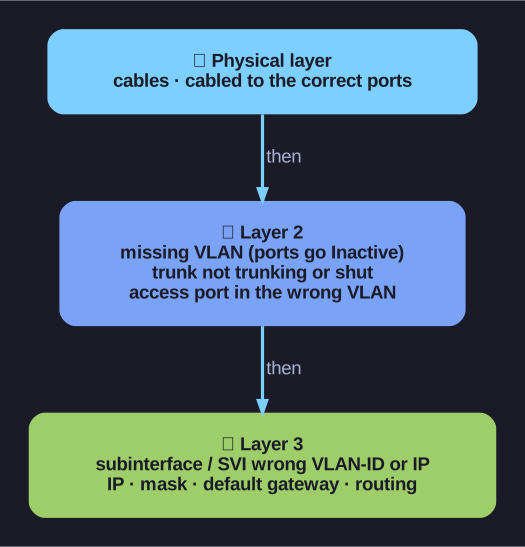
* Work bottom-up — most inter-VLAN faults are a missing VLAN, a broken trunk, a wrong access VLAN, or a bad subinterface/SVI. *
| Issue Type | Symptoms | Fix | Verify With |
|---|---|---|---|
| Missing VLANs | Ports show as inactive | Create/recreate the VLAN; reassign ports | show vlan brief, show interfaces switchport |
| Trunk Port Issues | Inter-VLAN traffic doesn't flow between switches | Ensure port is configured as trunk and enabled | show interface trunk, show running-config |
| Access Port Issues | Host can't reach its default gateway | Assign correct VLAN to port; ensure port is access mode | show interfaces switchport, show running-config interface |
| Router Config Issues | Subinterface has wrong VLAN or IP (Internet Protocol) | Fix encapsulation dot1q VLAN ID or IP address | show ip interface brief, show interfaces |
Troubleshooting order:
- Always check the physical layer first (cables, correct ports)
- Then check Layer 2 (VLANs exist, trunks working, access ports correct)
- Then check Layer 3 (IPs, subnet masks, default gateways, routing)
Go deeper:
 Troubleshoot Inter-VLAN Routing (Cisco Press) — the four categories (VLANs, trunk, access-port, router config) with matching
 showcommands.