Quiz Entry - updated: 2026.07.30
What are the main commands to verify router interface configuration?
show ip interface brief / show ipv6 interface brief for a quick status summary, show ip route / show ipv6 route for the routing table, and show interfaces / show ip interface / show ipv6 interface for detailed per-interface statistics.
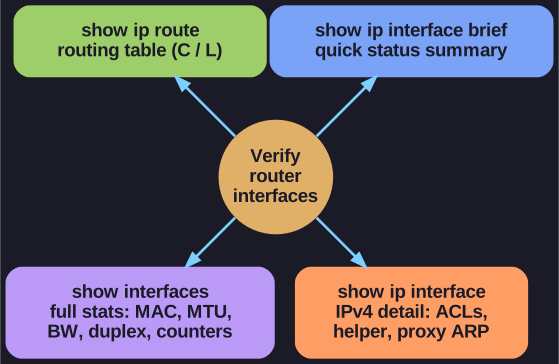
* Pick the verify command by depth: brief for a quick status sweep, route for the routing table, the rest for full per-interface detail. *
Router Interface Verification Commands:
| Command | Description |
|---|---|
show ip interface brief |
Summary of all interfaces with IPv4 addresses and status |
show ipv6 interface brief |
Summary of all interfaces with IPv6 addresses and status |
show ip route |
IPv4 routing table contents |
show ipv6 route |
IPv6 routing table contents |
show interfaces |
All interface statistics (detailed) |
show ip interface |
IPv4 statistics for all interfaces |
show ipv6 interface |
IPv6 statistics for all interfaces |
Most commonly used: show ip interface brief provides a quick overview of interface status:
- IP-Address - Configured address (or "unassigned")
- OK? - Is the address valid?
- Method - How address was configured (manual, DHCP)
- Status - Layer 1 status (up, down, administratively down)
- Protocol - Layer 2 status (up, down)
Go deeper:
 Cisco IOS — show commands (Wikipedia) — the IOS
 showfamily used to inspect interface and routing state.- Routing table (Wikipedia) — what
show ip routedisplays and how its entries are structured.