What are the man page sections and how do you access specific sections?
The manual is split into numbered sections by type of thing, so one name can have several pages; you pick a section with man N name, e.g. man 5 passwd.
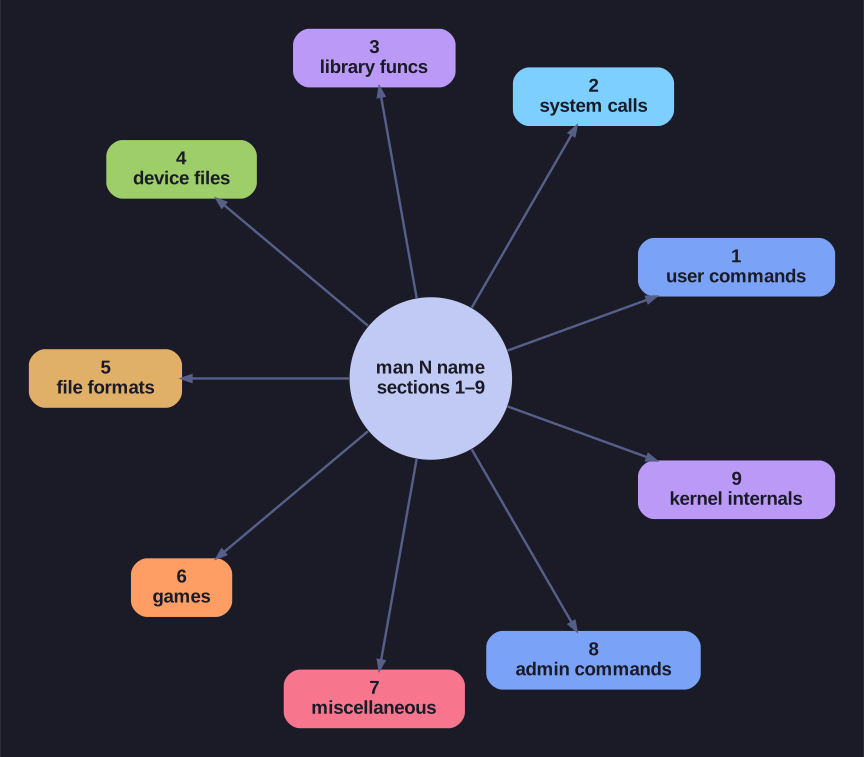
* The nine manual sections fan out from man N name — pick the section to disambiguate (e.g. man 5 passwd). *
The sections exist because the same word can mean different things in Unix. passwd is both a command (change your password) and a file (/etc/passwd). Each gets its own page in a different section, and the section number disambiguates which one you want.
| Section | Content |
|---|---|
| 1 | User commands |
| 2 | System calls (asking the kernel directly) |
| 3 | Library functions (for C programmers) |
| 4 | Special/device files (/dev) |
| 5 | File formats and config-file syntax |
| 6 | Games |
| 7 | Miscellaneous (conventions, overviews) |
| 8 | System-administration commands |
| 9 | Kernel internals |
man passwd     # defaults to section 1 — the command
man 5 passwd   # section 5 — the /etc/passwd file format
whatis passwd  # lists both: passwd (1) and passwd (5)
Why this matters in practice: if you're editing a config file and man somefile shows you a command instead, you probably want section 5 (man 5 somefile) for the file-format documentation. Knowing the section saves you from reading the wrong page entirely.
Mnemonic: the three you'll use most are 1 = user commands, 5 = file formats, 8 = admin.
Go deeper:
 man(1) — Linux manual page — the numbered manual sections 1–9 and how to request one (
man 5 passwd).