Quiz Entry - updated: 2026.07.30
What are the numeric comparison operators in Bash test?
Numbers use letter operators inside [ ]: -eq -ne -gt -ge -lt -le (equal, not-equal, greater, greater-or-equal, less, less-or-equal).
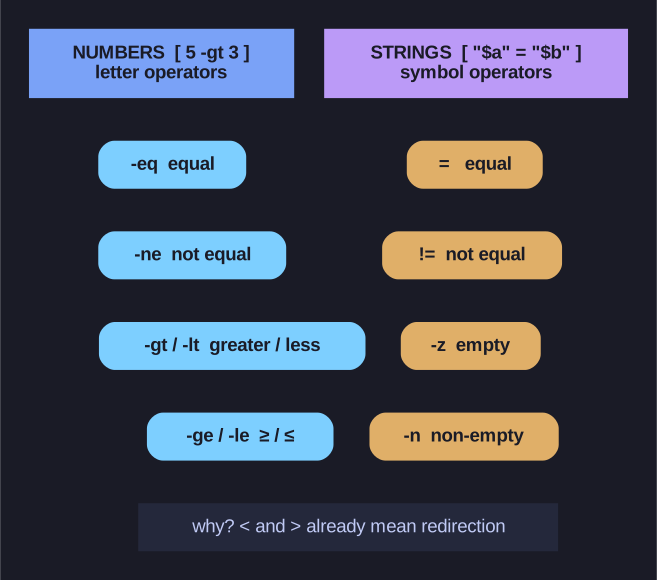
* Integer tests use word operators, string tests use symbols — kept apart so </> stay free for redirection. *
Bash uses these word-like operators for numbers specifically to avoid clashing with the symbols < and >, which inside a command already mean redirection. Writing [ 5 > 3 ] wouldn't compare — it would redirect to a file named 3! So integer tests get -gt, -lt, and friends. These compare integers only; for string equality you use =/!= instead (a separate card).
| Operator | Meaning | Example |
|---|---|---|
-eq |
Equal | [ 5 -eq 5 ] |
-ne |
Not equal | [ 5 -ne 3 ] |
-gt |
Greater than | [ 5 -gt 3 ] |
-ge |
Greater or equal | [ 5 -ge 5 ] |
-lt |
Less than | [ 3 -lt 5 ] |
-le |
Less or equal | [ 3 -le 5 ] |
Examples:
count=10

if [ $count -gt 5 ]; then
    echo "Count is greater than 5"
fi

if [ $count -eq 10 ]; then
    echo "Count is exactly 10"
fi
Check exit code:
[ 1 -eq 1 ]; echo $?    # Output: 0 (true)
[ 1 -eq 2 ]; echo $?    # Output: 1 (false)
Mnemonic: Think of the operators as abbreviations:
- eq = equal, ne = not equal
- gt = greater than, lt = less than
- ge = greater/equal, le = less/equal