What are the password guidelines for securing network devices?
Secure privileged EXEC, user EXEC, and remote (SSH) access; use long (8+ char) mixed-character passwords, avoid common words or reuse, and encrypt them all.
Weak or guessable passwords are the easiest way into a network device, so every access path needs its own password and those passwords need to be hard to crack. There are two parts to the guidance: what to protect and how to make each password strong.
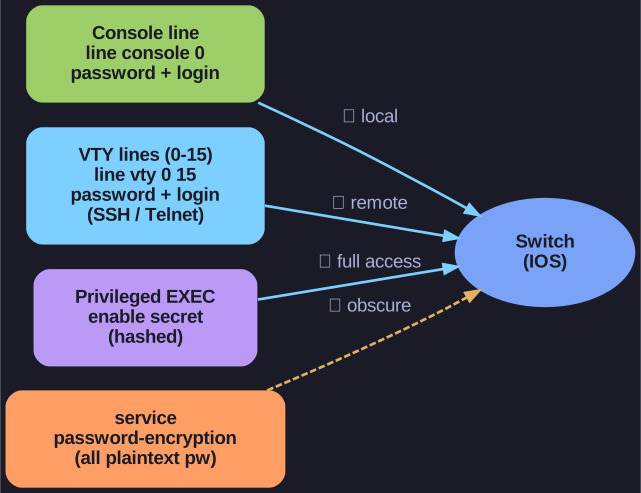
* Lock every door: console (local), VTY (remote SSH/Telnet), the enable secret for full access, plus service password-encryption to obscure the rest. *
Protect every way in — a device should require a password for privileged EXEC mode (full control), user EXEC mode (basic console login), and remote CLI (SSH) connections. Leaving any one open undermines the others.
Make each password strong:
- More than 8 characters — short passwords fall to brute-force quickly
- Mix upper/lowercase letters, numbers, and special characters so the search space is huge
- Don't reuse one password across devices — a single leak shouldn't compromise the whole network
- Avoid common words — dictionary attacks guess them first
- Encrypt them so they aren't readable in the config file (e.g. via
service password-encryptionandenable secret)
Go deeper:
 Jeremy's IT Lab — SSH (CCNA Day 42) — secures console, VTY and enable access end-to-end, the practical version of these guidelines.
 Secure Shell (Wikipedia) — why encrypted remote access matters once a password is set.