What are the severity levels in syslog and what do they mean?
8 levels, 0 (Emergency) to 7 (Debug) — the lower the number, the more severe.
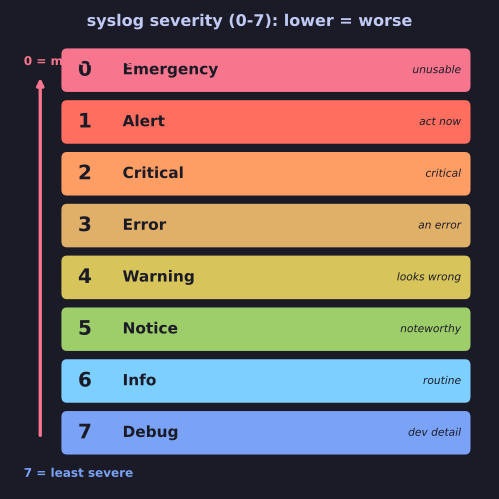
* Syslog severity runs 0 (Emergency) to 7 (Debug) — lower number = more severe, so -p err means levels 0–3. *
Syslog severity ranks how urgent a message is. It runs counter-intuitively: 0 is the worst, 7 the most trivial, so filtering "this level and worse" means "this number and below".
| Level | Name | Meaning |
|---|---|---|
| 0 | Emergency | System unusable |
| 1 | Alert | Action needed immediately |
| 2 | Critical | Critical condition |
| 3 | Error | An error occurred |
| 4 | Warning | Something looks wrong |
| 5 | Notice | Normal but noteworthy |
| 6 | Informational | Routine info |
| 7 | Debug | Developer/debug detail |
This is why journalctl -p err shows levels 0–3 (err and everything more severe), not just level 3 — the priority filter is inclusive toward the dangerous end. Production systems often log at notice or info; you bump to debug only when chasing a specific problem, because debug output is voluminous.
Mnemonic: "Every Alarm Can Eventually Warn New Interns Daily" (Emergency, Alert, Critical, Error, Warning, Notice, Informational, Debug).
journalctl -p err    # errors and above (levels 0–3)
journalctl -p warning # warnings and above (0–4)
Go deeper:
 Syslog (Wikipedia) — the 0–7 severity table (Emergency…Debug) plus the facility list.