What are the steps to mitigate VLAN (Virtual Local Area Network) hopping attacks on a Cisco switch?
Five steps: (1) force non-trunking ports to access mode (switchport mode access) to kill DTP (Dynamic Trunking Protocol); (2) disable unused ports and park them in an unused VLAN; (3) manually set the real trunks (switchport mode trunk); (4) turn off DTP negotiation on those trunks (switchport nonegotiate); (5) move the native VLAN off VLAN 1 to an unused VLAN.
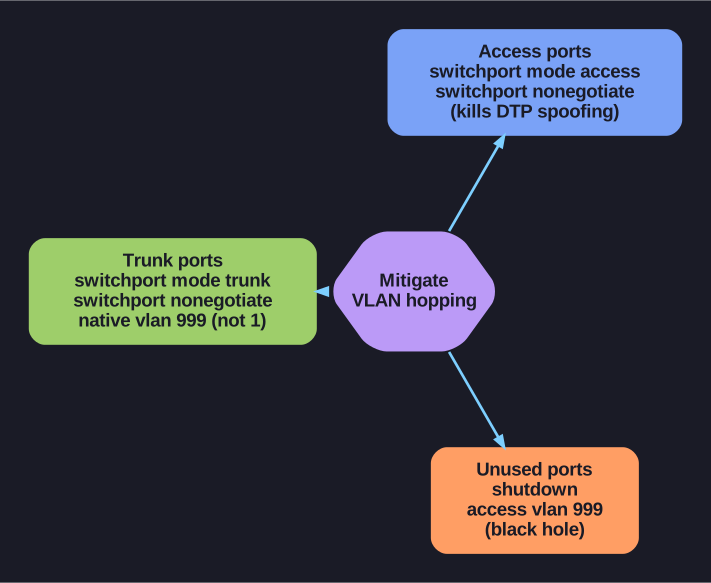
* VLAN-hopping mitigation, grouped by the kind of port. *
Complete VLAN hopping mitigation configuration:
On all access ports:
Switch(config-if)# switchport mode access          ! Force access mode
Switch(config-if)# switchport nonegotiate           ! Disable DTP
On trunk ports:
Switch(config-if)# switchport mode trunk             ! Manually set trunk
Switch(config-if)# switchport nonegotiate            ! Disable DTP negotiation
Switch(config-if)# switchport trunk native vlan 999  ! Change native VLAN
On unused ports:
Switch(config-if-range)# shutdown
Switch(config-if-range)# switchport mode access
Switch(config-if-range)# switchport access vlan 999  ! Black hole VLAN
Why each step matters:
- Disable DTP: Prevents switch spoofing — attacker can't negotiate a trunk
- Manual trunking: Only explicitly configured ports become trunks
- Change native VLAN: Prevents double-tagging attacks (which require the attacker to be on the native VLAN)
- Shutdown unused ports: Eliminates physical access vectors
Tip: VLAN 999 (or any unused VLAN) should exist in the VLAN database but have no SVIs (Switch Virtual Interfaces) (no IP (Internet Protocol) address) and no uplinks — traffic in this VLAN goes nowhere.
Go deeper:
 VLAN hopping (Wikipedia) — both attack vectors and the native-VLAN / disable-DTP mitigations.
- What is VLAN Hopping (Imperva) — defense-in-depth (static trunks, 802.1X on access ports, monitoring).