Quiz Entry - updated: 2026.07.30
What are the three methods for a secure port to learn MAC (Media Access Control) addresses, and how do they differ?
The three methods are: Manually Configured (static), Dynamically Learned (temporary), and Sticky (auto-learned but saved to config). Sticky is the most practical for most deployments.
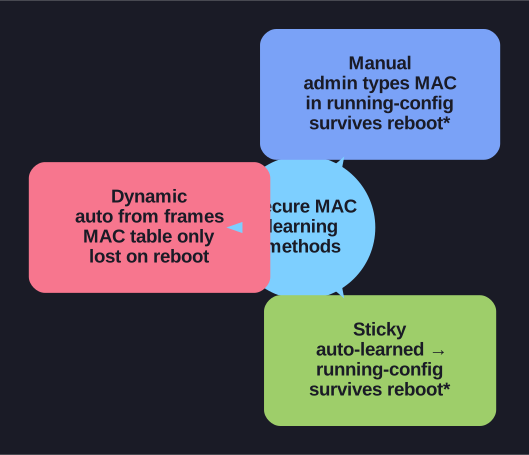
* Three secure-MAC learning methods. *
| Method | How Configured | Survives Reboot? | Added to Running Config? |
|---|---|---|---|
| Manually Configured | switchport port-security mac-address xxxx.xxxx.xxxx |
Yes (if copy run start) |
Yes |
| Dynamically Learned | Automatic — learned from first frames received | No — cleared on reboot | No |
| Sticky | switchport port-security mac-address sticky |
Yes (if copy run start) |
Yes — automatically added |
Manually Configured (static):
Switch(config-if)# switchport port-security mac-address aaaa.bbbb.cccc
- Administrator types the exact MAC address
- Most secure but most labor-intensive
- Good for: servers, printers, critical infrastructure with known MACs
Dynamically Learned:
- The switch automatically learns the MAC from the first frame(s) on the port
- Stored in the MAC address table only — not in the config
- After reboot: the port re-learns from scratch
- Good for: temporary setups, lab environments
Sticky Learning:
Switch(config-if)# switchport port-security mac-address sticky
- Combines the best of both: learns automatically like dynamic, but writes to running-config like static
- First device that connects gets its MAC "stuck" to the port
- Still need to
copy running-config startup-configto persist across reboot!
Tip: Sticky learning is the most common choice in practice — deploy the switch, let it learn the connected MACs, then save the config. No manual MAC entry needed.
Go deeper:
 Port Security (Study-CCNA) — static vs dynamic vs sticky learning and which persist across reboot / appear in running-config.