What commands are used to manage SELinux file contexts?
semanage fcontext records the PERMANENT rule for what a path's context should be, restorecon resets a file to that policy-defined context, and chcon slaps on a TEMPORARY context that the next relabel will undo.
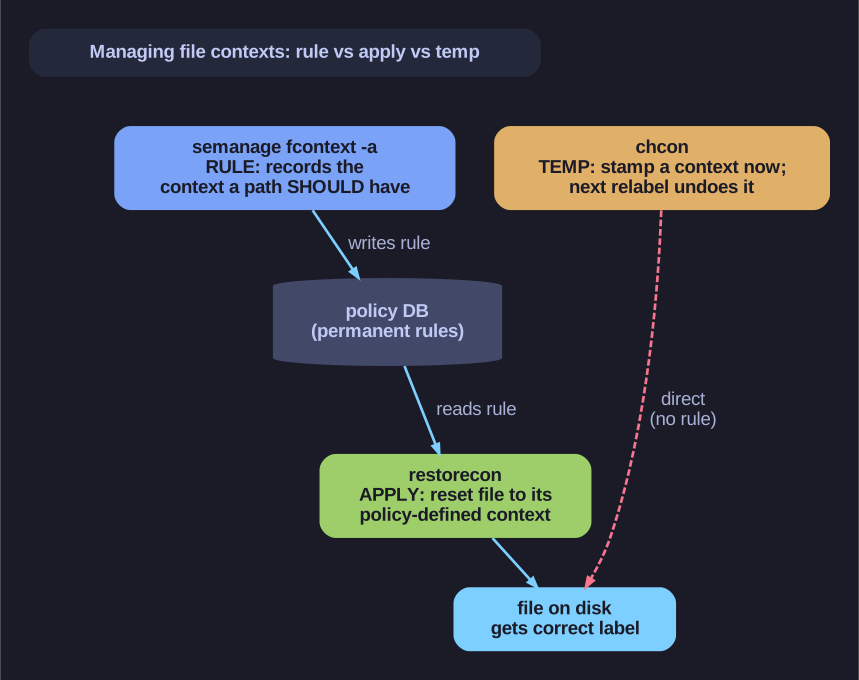
* semanage fcontext (rule) vs restorecon (apply) vs chcon (temporary). *
The mental model is "rule vs. apply vs. quick-hack". semanage fcontext -a writes a durable rule into the policy DB ("everything under /web should be httpd_sys_content_t") but doesn't touch any file yet — you then run restorecon -Rv /web to make the files on disk match that rule. chcon skips the rulebook and stamps a context directly onto a file; it works instantly but is fragile, because it isn't backed by a rule, so a restorecon or a full relabel wipes it. Best practice: semanage fcontext + restorecon for anything permanent; chcon only for throwaway testing.
| Command | Purpose |
|---|---|
semanage fcontext -l |
List all context rules |
semanage fcontext -a |
Add new context rule |
restorecon |
Apply policy-defined context |
chcon |
Temporarily change context |
Define permanent context rule:
semanage fcontext -a -t httpd_sys_content_t '/virtual(/.*)?'
Apply context from policy:
# Recursive, verbose
restorecon -Rv /var/www/
Temporarily change context:
chcon -t httpd_sys_content_t /path/to/file
Common regex in fcontext rules:
(/.*)?= "optionally match / followed by any characters"- Matches directory and all contents recursively
Tip: Use semanage fcontext + restorecon for permanent changes. chcon changes are lost after relabeling.
Go deeper:
 semanage-fcontext(8) — the permanent path→label rules (
-a/-l) thatrestoreconthen applies.