Quiz Entry - updated: 2026.07.30
What does Quality of Service (QoS) do on a wireless router, and when would you enable it?
QoS lets the router prioritise time-sensitive traffic — voice and video — over traffic that tolerates delay, such as email and web browsing, so a call or stream stays smooth even when the link is busy.
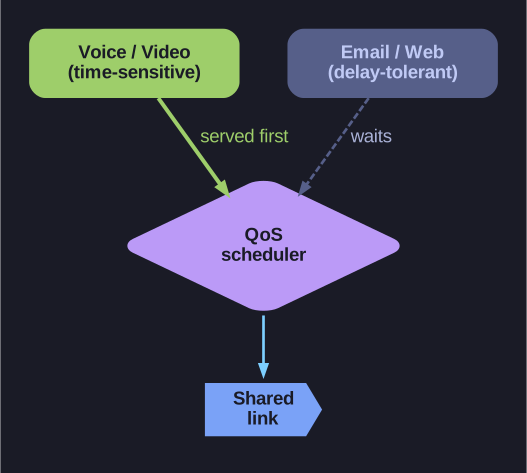
* Real-time traffic jumps the queue; delay-tolerant traffic waits. *
By default all traffic competes equally for the link, so one large download or backup can starve a live voice/video call and make it stutter. QoS fixes this by classifying traffic and servicing the latency-sensitive classes first:
- Prioritise real-time traffic — VoIP and video get to jump the queue; email/web/file transfers are delay-tolerant and lose nothing noticeable by waiting a few extra milliseconds.
- Port-based rules — some routers can also prioritise traffic on specific ports (e.g., a gaming or VoIP port).
The payoff: on a congested home link, the video call and the streaming movie stay usable because the router protects them from the bulk traffic.
Go deeper:
 Quality of service (Wikipedia) — giving different priorities to different flows, and why VoIP and video need it most.