Quiz Entry - updated: 2026.07.30
What is a default static route, how is it configured for IPv4 and IPv6, and how does it appear in the routing table?
A default route matches ALL destinations — it's the "gateway of last resort." IPv4 uses 0.0.0.0 0.0.0.0 (the "quad-zero" route), IPv6 uses ::/0. It catches any packet that doesn't match a more specific route.
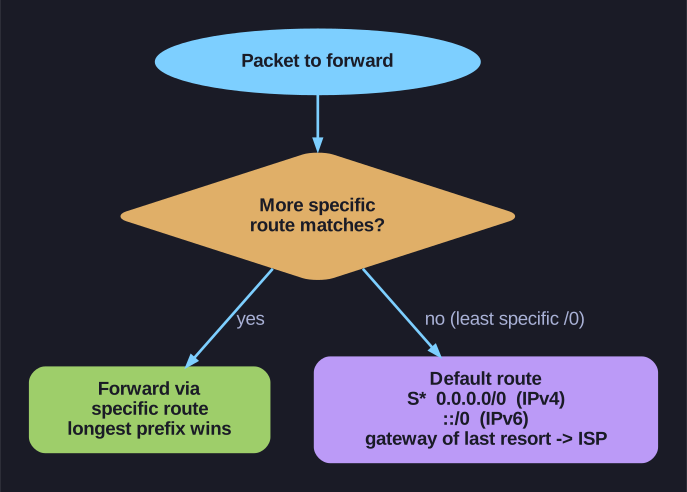
* The default route as gateway of last resort. *
IPv4 default static route:
R1(config)# ip route 0.0.0.0 0.0.0.0 172.16.2.2
IPv6 default static route:
R1(config)# ipv6 route ::/0 2001:db8:acad:2::2
How it appears in the routing table:
R1# show ip route static | begin Gateway
Gateway of last resort is 172.16.2.2 to network 0.0.0.0

S*   0.0.0.0/0 [1/0] via 172.16.2.2
Key details:
- The
S*indicates it's a static route that is the candidate default (gateway of last resort) - The
/0prefix length means zero bits must match — it matches every possible destination - It's always the least specific route — any more specific route will be preferred (longest match)
- Only used when no other route matches the destination
When to configure a default route:
- On edge routers connecting to the internet/ISP
- On stub routers with only one exit path
- When the router doesn't need to know the full internet routing table
Important: Don't forget ipv6 unicast-routing before configuring IPv6 routes — without it, the router won't forward IPv6 packets even if routes exist.
Go deeper:
 Default route (Wikipedia) — the 0.0.0.0/0 // ::/0 gateway-of-last-resort and fall-back semantics.
- Stub network (Wikipedia) — the single-exit topology where a default route is natural.