What is mounting in Linux, and why is there no "D: drive"?
Mounting attaches a filesystem onto a directory (the mount point) so its contents appear inside the single unified file tree — Linux has one tree starting at /, not separate drive letters.
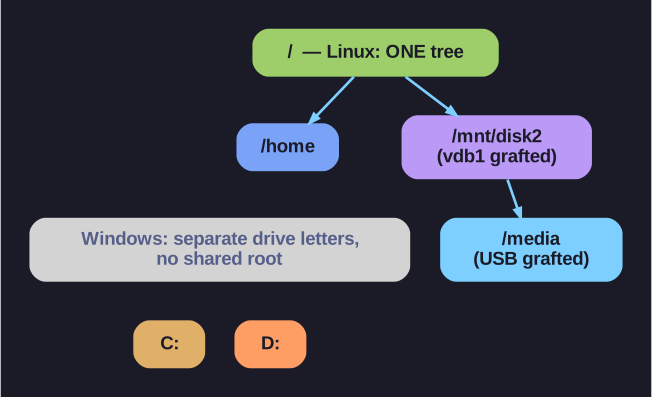
* Linux grafts every filesystem into one tree under /; Windows gives each its own drive letter. *
Windows gives each filesystem its own letter (C:, D:). Linux instead grafts every filesystem into one tree rooted at /. You pick an empty directory — the mount point — and mount makes the device's contents appear at that directory:
mount /dev/vdb1 /mnt/disk2 # now /mnt/disk2/... is the contents of vdb1
There are two halves to remember:
- Device — the block device holding the filesystem, e.g.
/dev/sda1. - Mount point — the directory it's attached to, e.g.
/mnt(the traditional scratch spot) or/media(for removable media).
The payoff is uniformity: an external USB disk, a network share, and the root filesystem are all just directories, so ls, cp, and mv work on all of them identically.
The gotcha: always umount before physically removing a device. Linux buffers writes in memory (write-back cache), so files may not actually be on the disk until the unmount flushes them. Pull the drive early and you can lose or corrupt data. If umount complains the device is busy, lsof /mnt/disk2 shows which process still has a file open there.
Go deeper:
 mount(8) man page — the
 mountcommand, mount points, and how filesystems are grafted into the single tree.