Quiz Entry - updated: 2026.07.30
What is port security aging, and what are the two aging types?
Port security aging automatically removes secure MAC (Media Access Control) addresses after a specified time. There are two types: Absolute (removes after a fixed time regardless) and Inactivity (removes only if the MAC is inactive for the specified time).
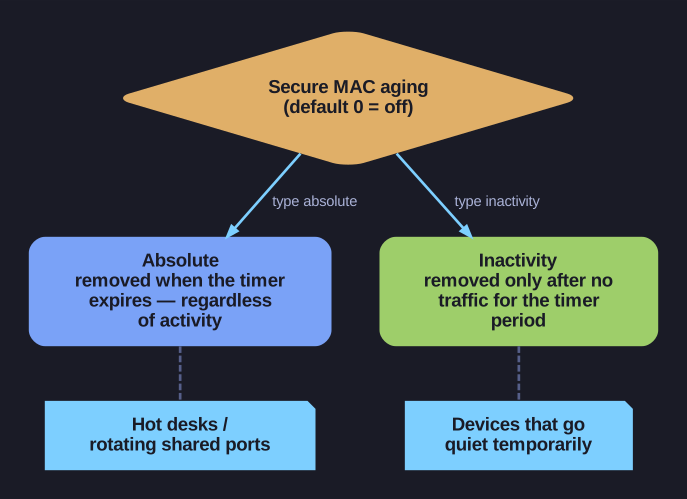
* Absolute vs inactivity aging, and when to use each. *
| Aging Type | Behavior | Use Case |
|---|---|---|
| Absolute | MAC is removed after the aging time expires, regardless of activity | Environments with rotating devices (hot desks, shared ports) |
| Inactivity | MAC is removed only if no traffic from that MAC is seen for the aging time | Environments where devices may disconnect temporarily |
Configuration:
Switch(config-if)# switchport port-security aging time 10          ! 10 minutes
Switch(config-if)# switchport port-security aging type inactivity  ! or absolute
Switch(config-if)# switchport port-security aging static           ! Also age static MACs
Default: Aging time is 0 (disabled) — secure MACs never expire.
Why use aging?
- Without aging, a port that learned a MAC from a device that was disconnected still holds that MAC in its secure list
- If the maximum is reached, no new device can connect to that port until the old MAC is manually removed
- Aging automates this cleanup
Verification:
Switch# show port-security interface Fa0/1
  Aging Time           : 10 mins
  Aging Type           : Inactivity
  SecureStatic Address Aging : Disabled
Tip: For access ports with laptops that move around (hot desking), use inactivity aging with a reasonable timer (e.g., 10-30 minutes). This automatically frees up slots when users unplug.
Go deeper:
 Port Security Overview (PivIT Global) — contrasts absolute vs inactivity aging with the
 aging type/aging timecommands.