Quiz Entry - updated: 2026.07.30
What is the complete output redirection reference table for Linux?
One direction (>) for stdout, 2> for stderr, >> to append, and 2>&1 to fold stderr into wherever stdout currently points.
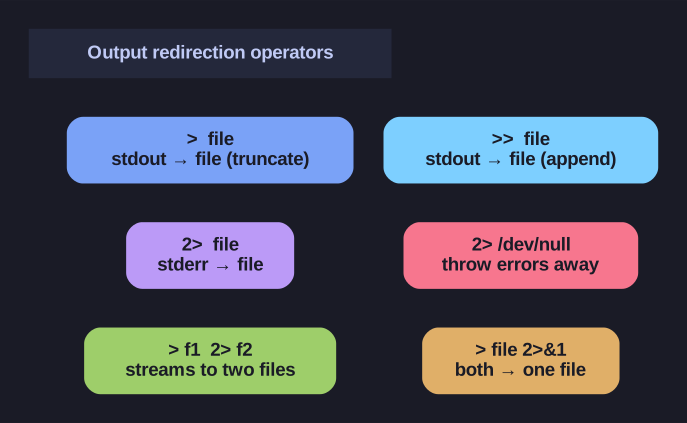
* The output-redirection operators at a glance. *
| Syntax | Meaning |
|---|---|
> file |
stdout → file (overwrite/truncate) |
1> file |
same, with explicit FD 1 |
>> file |
stdout → file (append) |
2> file |
stderr → file (overwrite) |
2>> file |
stderr → file (append) |
2> /dev/null |
throw errors away |
> f1 2> f2 |
stdout→f1, stderr→f2 (separate) |
> file 2>&1 |
both streams → one file (overwrite) |
>> file 2>&1 |
both streams → one file (append) |
The one rule people get wrong — order matters, left to right. 2>&1 means "make stderr go wherever stdout is pointing right now", so stdout must be redirected first:
utility > output.log 2>&1   # CORRECT: > sends stdout to the file,
                            #          THEN 2>&1 copies that target to stderr
utility 2>&1 > output.log   # WRONG: stderr is aimed at the console (stdout's
                            #        current target), THEN stdout moves to the
                            #        file — errors still hit your screen
Think of 2>&1 as a snapshot, not a permanent link: it duplicates stdout's current destination at that moment in the line.
Tip: The shorthand &> file (bash) does both at once and sidesteps the ordering trap.
Go deeper:
 Bash Reference: Redirections —
 > >> 2>and why2>&1ordering matters.