What is the difference between { } and ( ) for command grouping?
{ ...; } groups commands in the current shell (variables persist); ( ... ) runs them in a subshell (a child process, so changes are discarded afterward).
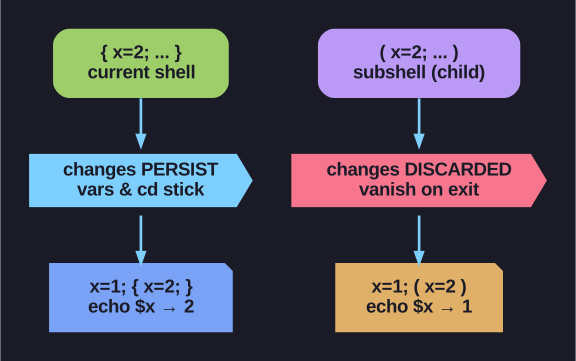
* Brace grouping keeps side effects; subshell parentheses throw them away. *
The practical difference is side effects. Anything you change inside ( ) — variables, the current directory via cd — vanishes when the subshell exits, because it's a separate process. { } runs in your shell, so its changes stick. Both let you apply one redirection to a whole group ({ cmd1; cmd2; } > log).
Use ( ) deliberately when you want isolation — e.g. (cd /tmp && do-stuff) lets you cd temporarily without affecting where you end up. Use { } when you need the results to persist.
| Syntax | Execution | Subshell? |
|---|---|---|
{ cmd1; cmd2; } |
Current shell | No |
( cmd1; cmd2 ) |
Subshell | Yes |
Curly braces { } - same shell:
{ echo "one"; echo "two"; } > output.txt
# Both outputs go to file
# Variables persist after

x=1
{ x=2; echo $x; }  # Output: 2
echo $x             # Output: 2 (changed!)
Parentheses ( ) - subshell:
( echo "one"; echo "two" ) > output.txt
# Runs in separate process
# Variables don't persist

x=1
( x=2; echo $x )   # Output: 2
echo $x            # Output: 1 (unchanged!)
Syntax note: Curly braces need:
- Space after
{ - Semicolon before
}
Go deeper:
 Bash Guide: Compound Commands (Wooledge) — brace grouping (current shell) vs subshell parentheses and their scope effects.