Quiz Entry - updated: 2026.08.27
What is the general troubleshooting process for network access layer issues on a switch?
Start with show interfaces, then branch: if it's up but faulty chase noise/duplex; if it's down chase cabling/speed; if still unsolved, document and escalate.
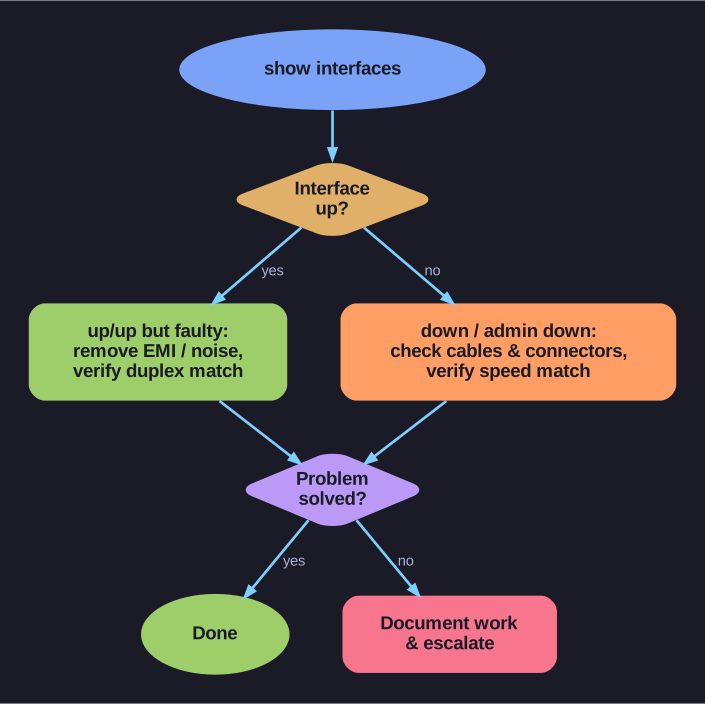
* The access-layer troubleshooting decision flow. *
Flowchart:
- Run
show interfaces - Is the interface up?
- YES (up/up but problems):
- Check for EMI (Electromagnetic Interference)/noise indications → remove noise sources
- Verify duplex settings match on both ends
- NO (down or admin down):
- Verify proper cables and check connectors for damage
- Verify speed settings match on both ends
- YES (up/up but problems):
- Is the problem solved?
- YES: Done
- NO: Document work done and escalate the issue
Key indicators to check in show interfaces output:
- Interface status (up/down)
- Input/output error counters
- CRC (Cyclic Redundancy Check) errors (cable/noise issues)
- Collisions and late collisions (duplex/cable length)
- Runts and giants (network interface card or driver problems)
Tip: Always start with the physical layer — check the cable first. Most network problems are caused by bad cables or incorrect connections.
Go deeper:
 Duplex mismatch (Wikipedia) — the exact up/up-but-slow + CRC/late-collision symptom this flowchart hunts for.