What is the GNU Assembler (GAS), and how do you turn an assembly source file into a runnable program with it?
GAS (invoked as as, or via gcc) is the GNU project's assembler — it translates assembly text into object code; its syntax adapts to whichever CPU architecture you target.
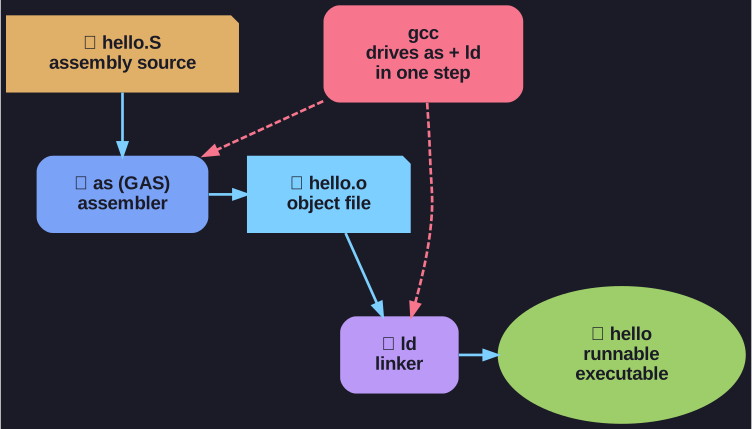
* From source to executable: gcc drives the assembler (as) and the linker (ld) in a single step. *
GAS is the back-end assembler that GCC itself uses, so the easiest way to build assembly is to hand a .S file straight to gcc and let it run the assembler and linker for you:
$ gcc -o hello hello.S      # assemble + link in one step
$ ./hello
Hello, world!
What makes GAS notable is its breadth: one tool supports many architectures (x86, ARM, RISC-V, …), and the exact mnemonics and directives shift to match each platform's conventions. That flexibility comes with quirks worth knowing:
- Source must end with a trailing newline on the last line, or GAS may reject it.
- The full directive set is large and architecture-specific — the GAS manual is the reference.
Tip: Use a capital .S extension (not .s) so GCC runs the C preprocessor first, letting you use #include and #define in your assembly.
Go deeper:
 GNU Assembler (Wikipedia) — the history and scope of the GNU assembler.
 Using as — the GNU Assembler manual — the full assembler reference and directive set.
 Compiler Explorer (godbolt) — paste C and watch gcc run the assembler and linker for you.