What is the MAC address table and how does a Layer 2 switch use it?
A lookup table mapping MAC addresses to switch ports; the switch consults it to decide which single port to send a frame out, working purely at Layer 2 and ignoring IP entirely.
The MAC address table — also called the CAM (Content Addressable Memory) table — is the switch's whole brain. It is just a mapping of which MAC (Media Access Control) address lives behind which physical port. For every frame, the switch looks up the destination MAC and uses the table to forward the frame out only the correct port instead of repeating it everywhere.
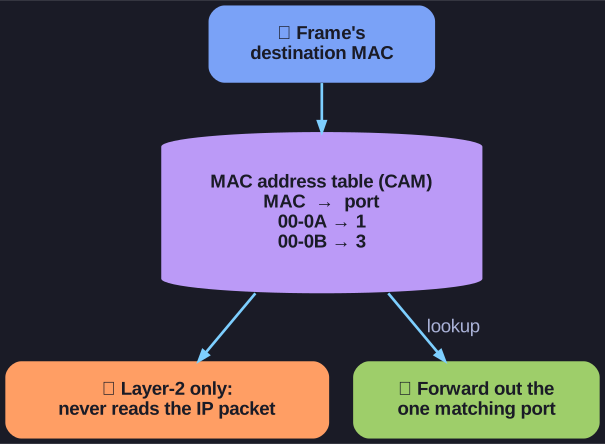
* The CAM table maps each MAC to a port; the switch forwards out the one matching port and never reads the IP packet inside. *
Two things are worth internalising:
- A Layer 2 switch is completely unaware of Layer 3 information. It never looks at the IP packet inside the frame; its forwarding decision is based solely on Layer 2 MAC addresses. (Contrast a router, which uses IP addresses and a routing table to move traffic between networks.)
- When a switch is first powered on the table is empty. It has to learn the mappings by watching traffic — which is why a brand-new switch floods unknown frames until it has seen each host's source MAC.
This narrow, MAC-only job is exactly what makes switching fast (often done in hardware) but also why a switch alone cannot route between different IP networks.
Go deeper:
-
 Forwarding information base / MAC table (Wikipedia) — the MAC-to-port table (a.k.a. CAM table) that distinguishes a switch from a hub.
 -
Network switch (Wikipedia) — how a Layer-2 switch uses that table to forward by MAC address only.