Quiz Entry - updated: 2026.07.30
What is the nslookup command used for?
nslookup lets you manually query DNS servers to resolve a name and troubleshoot name resolution; run with no parameters it shows your host's default DNS server.
The nslookup Command:
A computer operating system utility that allows users to manually query DNS servers to resolve domain names.
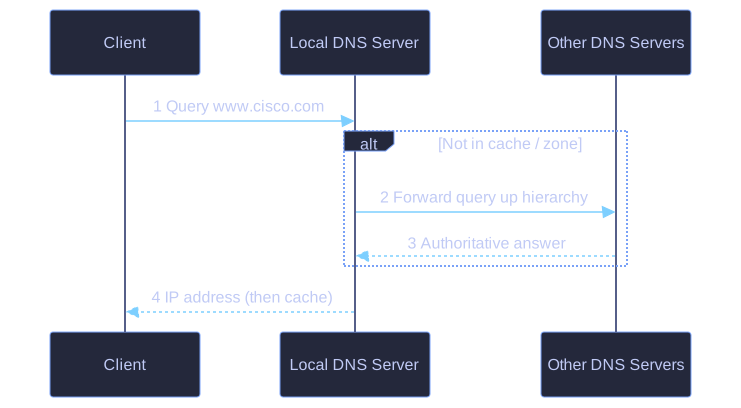
* nslookup makes this query visible: client asks the local server, which forwards up the hierarchy if needed, then caches the answer. *
Uses:
- Troubleshoot name resolution issues
- Verify the current status of name servers
- Query specific DNS records
Basic usage:
C:\> nslookup
Default Server: dns-sj.cisco.com
Address: 171.70.168.183

> www.cisco.com
Server: dns-sj.cisco.com
Address: 171.70.168.183

Name:    www.cisco.com
Address: 23.1.48.170
Additional command:
ipconfig /displaydns
Displays all cached DNS entries on a Windows PC.
Key insight: When nslookup is issued without parameters, it displays the default DNS server configured for your host.
Go deeper:
 nslookup (Wikipedia) — the DNS query tool, its modes, and how it differs from dig.