Quiz Entry - updated: 2026.07.30
What is the router-on-a-stick method, and how do subinterfaces work?
Router-on-a-stick uses a single physical router interface divided into multiple software-based subinterfaces, each assigned to a different VLAN (Virtual Local Area Network) via 802.1Q encapsulation.
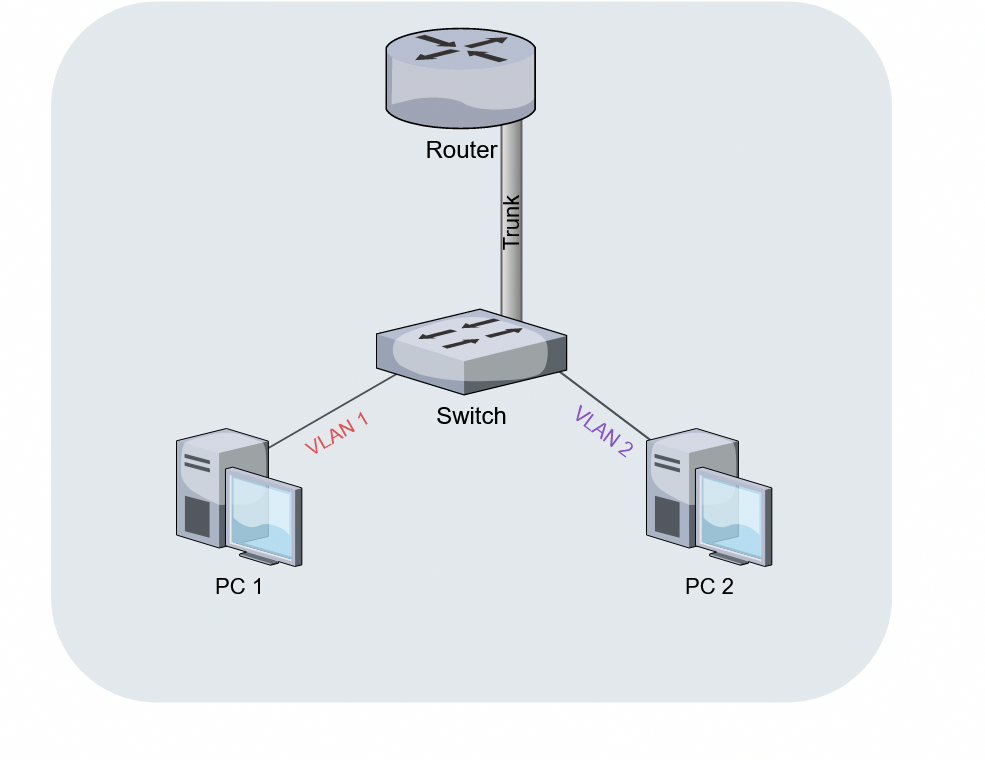
* Router-on-a-stick over a single trunk link. — Anatoly099, CC BY-SA 4.0, via Wikimedia Commons. *
Key concepts:
- The router's physical interface connects to the switch via an 802.1Q trunk link
- The trunk carries tagged traffic from multiple VLANs over one cable
- On the router, subinterfaces are created — virtual interfaces that each handle one VLAN
How subinterfaces work:
- Each subinterface is configured with
encapsulation dot1q <vlan-id>to match a VLAN - Each gets its own IP (Internet Protocol) address, which becomes the default gateway for that VLAN
- Traffic arrives tagged → router reads the VLAN tag → routes to the correct subinterface → re-tags with the new VLAN → sends back out the same physical interface
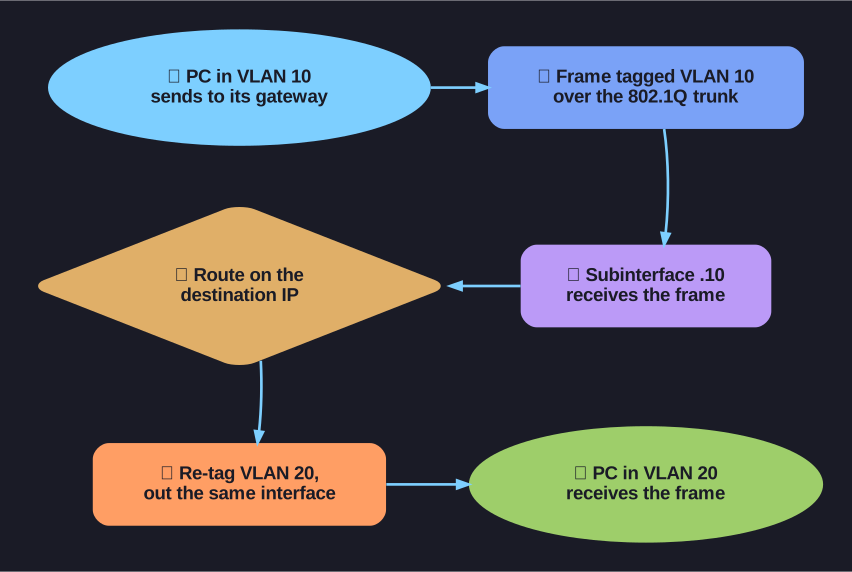
* The tag → route → re-tag path: every inter-VLAN frame enters and leaves over the one physical interface. *
Limitations:
- Does not scale beyond ~50 VLANs (all traffic funnels through one physical link)
- The single link becomes a bandwidth bottleneck
- Higher latency than Layer 3 switching
Tip: The name "router-on-a-stick" literally describes it — one router hanging off one stick (cable) doing all the inter-VLAN work.
Go deeper:
 Router on a stick (Wikipedia) — canonical definition of the single-trunk-link design plus its bottleneck/single-point-of-failure trade-offs.
 Router-on-a-Stick Inter-VLAN Routing (Cisco Press, CCNAv7) — the concrete subinterface config (encapsulation dot1Q per VLAN) and verification commands.