Quiz Entry - updated: 2026.07.30
When should you reach for rpm versus dnf?
Use dnf for installing/updating/removing (it resolves dependencies and talks to repos); use low-level rpm mainly for querying or installing a single self-contained local file.
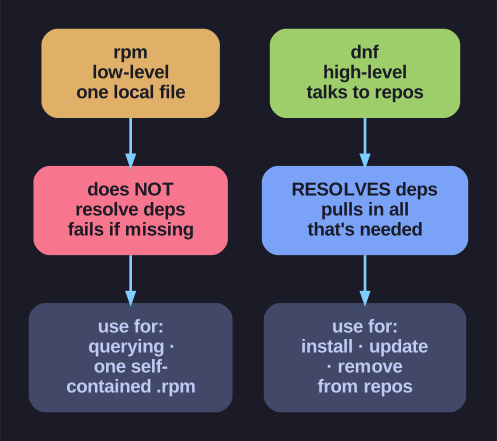
* rpm for reading (query / single-file install); dnf for doing (install/update/remove with dependency resolution). *
They operate at different levels, and choosing wrong leads to dependency pain:
| Capability | rpm |
dnf |
|---|---|---|
Install a local .rpm file |
Yes | Yes |
| Resolve dependencies | No | Yes |
| Download from repositories | No | Yes |
| Query the package database | Yes | Yes |
| Transaction history / undo | No | Yes |
| Groups & modules | No | Yes |
Use rpm when:
rpm -qa                     # query all installed packages
rpm -qf /usr/bin/ls         # which package owns this file
rpm -ivh local.rpm          # install a standalone local file (no deps)
Use dnf when:
dnf install httpd           # install WITH dependencies, from a repo
dnf update                  # update the system
dnf remove package          # remove, handling dependents
The rule of thumb: querying → rpm -q; installing / updating / removing → dnf. The reason is dependencies: rpm happily installs a file but leaves you to satisfy its requirements by hand, whereas dnf pulls in everything needed automatically.
Mnemonic: "rpm for reading, dnf for doing."
Go deeper:
 rpm(8) man page — the low-level tool (querying / single-file install).
- DNF command reference — the high-level, dependency-resolving manager.