Quiz Entry - updated: 2026.11.05
Which ansible-vault subcommands manage existing encrypted files, and what does each do?
view: show the decrypted content without editing it.edit: decrypt to a temporary file, open it in the editor, re-encrypt on save.encrypt: encrypt existing plain-text files.decrypt: remove the encryption permanently.rekey: change the password of encrypted files.
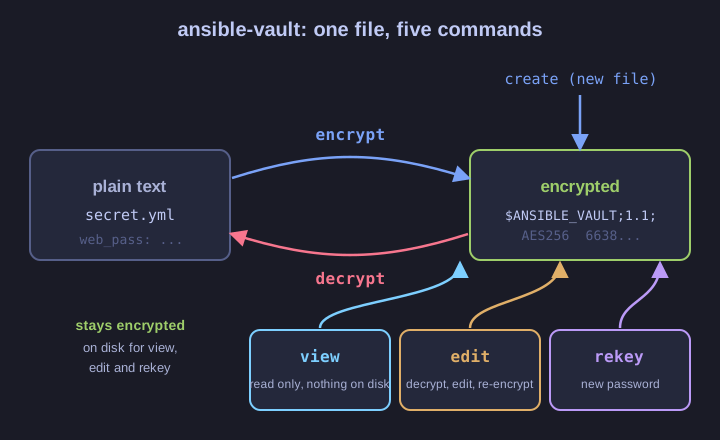
| Command | Use it when | Notes |
|---|---|---|
ansible-vault view f.yml |
you only need to read it | nothing is written to disk |
ansible-vault edit f.yml |
you need to change a secret | re-encrypted automatically on save |
ansible-vault encrypt a.yml b.yml |
the file already exists in plain text | takes several files; --output=NEW writes to a new name (one input file only) |
ansible-vault decrypt f.yml |
the file should no longer be encrypted | --output works here too |
ansible-vault rekey f.yml |
the password must change (someone left the team) | asks for old then new password; --new-vault-password-file for scripts; several files at once |
Gotcha: prefer edit over decrypt, change, encrypt. The round trip leaves the secret in plain text on disk for a while, and if you forget the last step, it gets committed unencrypted.
Go deeper:
 ansible-vault command reference (official docs) —
view,edit,encrypt,decrypt,rekeyand their options.