Quiz Entry - updated: 2026.07.30
What are the three steps to configure an LACP EtherChannel on a Cisco switch?
Select the interfaces, assign them to a channel-group with a mode, then configure the port channel interface.
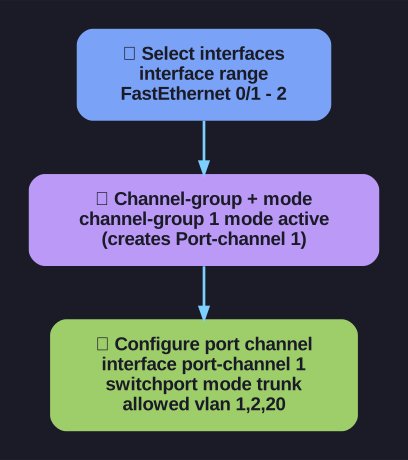
* Three-step LACP EtherChannel configuration. *
Step 1: Select the physical interfaces:
S1(config)# interface range FastEthernet 0/1 - 2
Step 2: Create the port channel and set the LACP (Link Aggregation Control Protocol) mode:
S1(config-if-range)# channel-group 1 mode active
This creates the logical Port-channel 1 interface automatically.
Step 3: Configure Layer 2 settings on the port channel:
S1(config-if-range)# exit
S1(config)# interface port-channel 1
S1(config-if)# switchport mode trunk
S1(config-if)# switchport trunk allowed vlan 1,2,20
Key details:
- The
channel-groupnumber is local to the switch — it doesn't have to match the other side (but the protocol mode must be compatible) - Use
mode activefor LACP,mode desirablefor PAgP (Port Aggregation Protocol), ormode onfor static - The
interface port-channelcommand enters the logical interface for L2 configuration - Settings applied here propagate to all member interfaces
Go deeper:
 Cisco Switch EtherChannel Configuration (Networks Training) —
 channel-group mode active, the port-channel interface, and trunk config on both switches. How to Configure EtherChannel (PAgP & LACP) — video walkthrough of LACP and PAgP configuration.